
A new website can be accessible to visitors without appearing prominently in Google. Start with one important URL and distinguish two questions: is the page indexed, and is it reaching the searches it was written for? The next action depends on that distinction.
These are troubleshooting notes, not a promise of a ranking position. Keep a record of the URL, the date, the observed status and any change you make.
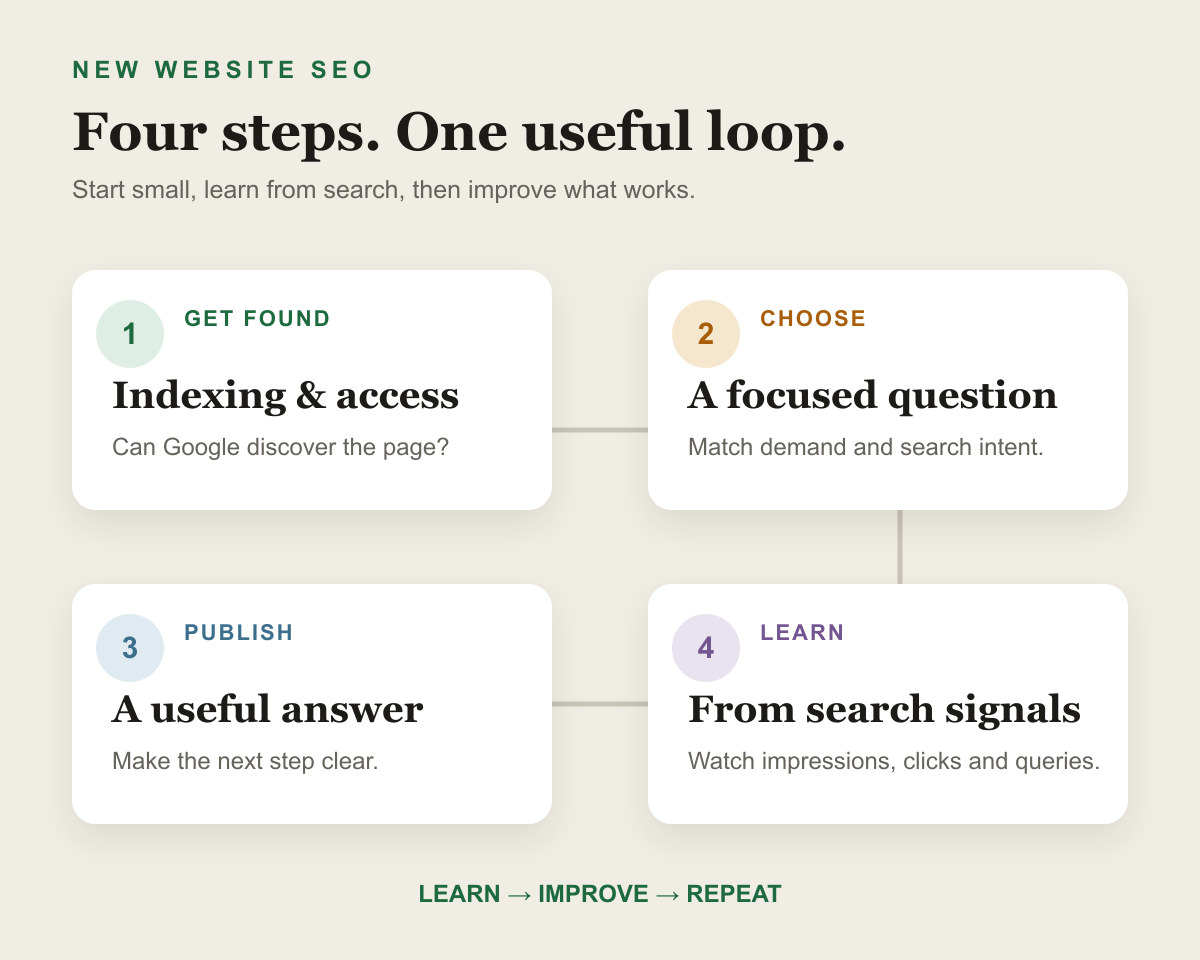
1. Establish whether this is an indexing or visibility problem
Not indexed does not mean never crawled. Google may know the URL, may have fetched it, or may have selected another page as canonical. A site: search is a rough discovery check; an empty result does not prove a URL is absent from the index. See Google's explanation of the operator's limits.
- Open the correct Search Console property and inspect the complete URL.
- Read the indexed result and expand Page indexing. Record the reason, last crawl and Google-selected canonical when available.
- If you have recently changed the page, run a live test to check its current accessibility. A successful live test does not establish that it is indexed.
Follow the URL Inspection walkthrough if the page is excluded.
Choose the next check from the evidence
- Not indexedRead the exclusion reason. Check discovery, access, duplication and content as appropriate.
- Indexed, little visibilityFilter Performance to the page. Review relevant queries, country and device.
- Recently changedCompare the last crawled version with the live test before concluding the fix has been processed.
2. Look at the page's actual search data
In Search Console, open Performance, select Web search, add an exact page filter and review Queries. Keep the same country, device and date filters when comparing periods. Small samples can move sharply, so record absolute impressions and clicks alongside percentages.
Impressions for irrelevant queries suggest the page's purpose may be unclear. Relevant impressions with few clicks call for a closer look at position, the result format, and whether the title describes the answer accurately. No reported queries can also reflect limited demand or reporting limits; it does not identify one cause by itself. See the Performance report documentation.
3. Compare the answer with the search intent
Search the query for the audience and location you serve. Note whether people are being shown tutorials, discussion threads, tools, products or comparisons. Open relevant results and identify the specific task they help a reader finish.
A forum result is not automatically weak competition. It may be the right format for someone seeking several people's experiences. Likewise, counting three large brands does not establish that a query is impossible. Use the keyword review worksheet to record the gap you can actually fill.
4. Give the reader a reason to use this page
Ask what the visitor can do after reading your page that they could not do before. A checked procedure, an original example, a reusable worksheet or a clearly explained limitation can be more useful than another summary of familiar tips.
Support specific claims. If you describe a project result, state the date range, what changed and what else might explain the outcome. Do not present a hypothetical scenario as a completed client project. Google's content quality questions are a useful review aid.
5. Check that the page belongs in the site
Reach the page from the homepage or a relevant topic page by following ordinary links. Add contextual links from pages where readers would need this next answer. A sitemap alone does not replace useful navigation.
Two pages mentioning the same keyword are not automatically a problem. Compare their purpose: if they answer the same task with almost the same material, consider one stronger page. Preserve separate pages when their tasks differ. See how to place internal links.
6. Check access and canonical signals
- Confirm the intended page returns a successful response, rather than an error or a login screen.
- Check for unintended robots exclusions and
noindexdirectives, including HTTP headers. - Compare the declared canonical with the intended URL and with Google's selection.
- Make sure the main text and links are available on mobile and in the rendered page.
Slow or unstable pages deserve attention, but a poor speed score alone does not prove why a page is unindexed. Work from the reported issue. The technical requirements are eligibility conditions, not a ranking guarantee.
7. Make a focused change and keep a record
There is no documented waiting period that every new domain must pass before it can rank. Investigate actionable problems now. If the page is accessible and useful, give Google time to process a change without rewriting it every day.
Example record, for illustration: “URL not indexed; last crawl predates removal of noindex; live test now allows indexing; requested a crawl; check whether Google recrawls before changing the topic.” This is a sample workflow, not a measured case study.
If the page is indexed but weakly competitive, improve the answer and reassess the query before assuming backlinks are the only missing ingredient. Read how links fit into the picture and how to monitor progress.
Keep the diagnosis traceable
- ObserveExact URL, report, date, filters and status.
- ChangeThe specific fix and the reason for it.
- ReviewRecrawl status and comparable search data; record uncertainty.