
There is no guaranteed deadline for a new website to be indexed. Google's guidance says a requested crawl can take days to weeks, but crawling is not a promise of indexing. Check the individual URL's status rather than applying a fixed timeline to the whole site.
This page explains what to inspect, how to make a page discoverable, and how to keep a useful record. The steps that use Search Console require a publicly accessible site and a property you can access.
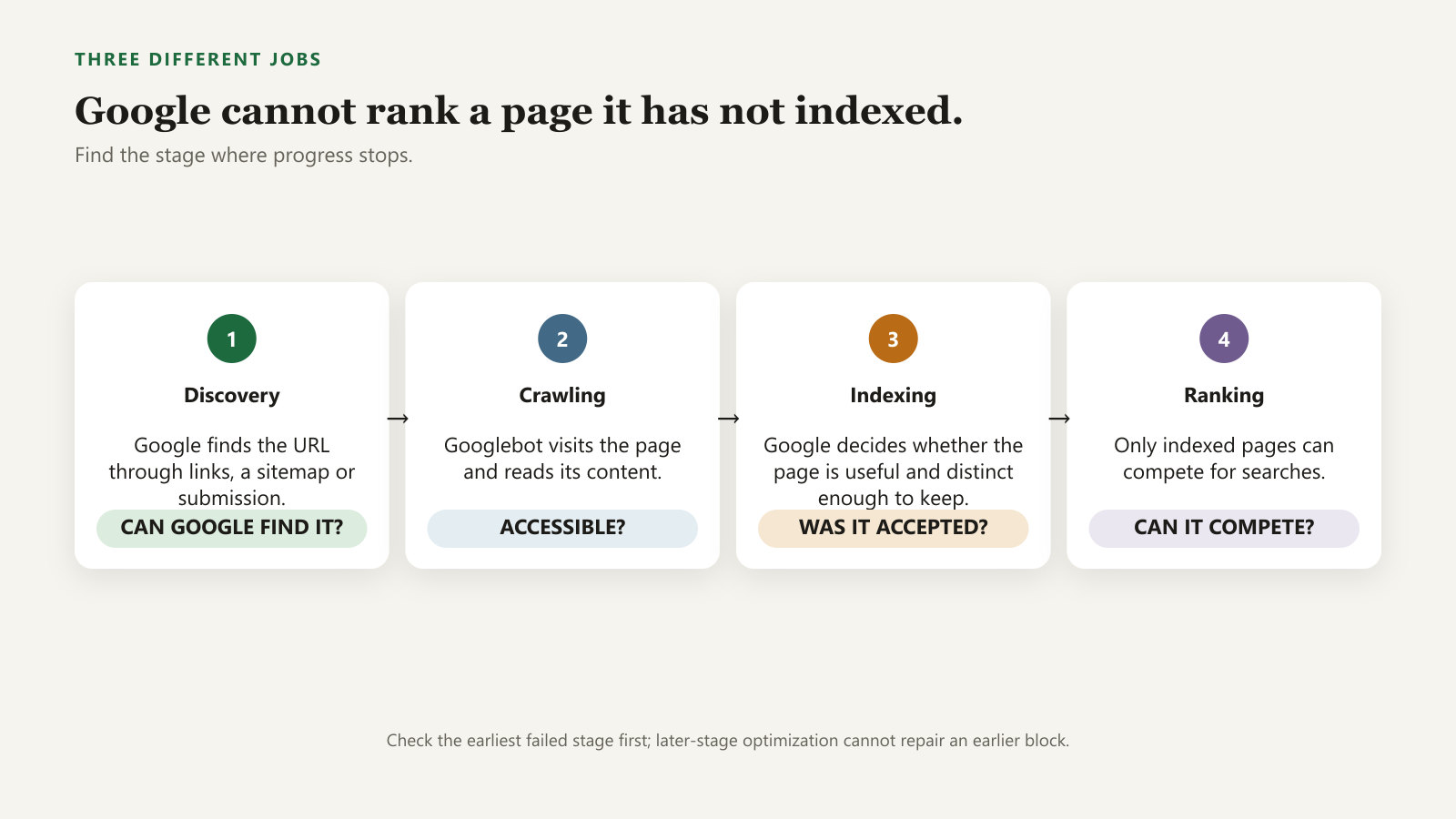
What indexing does and does not tell you
A page can be discovered without being crawled, and crawled without being indexed. If Google chooses a different canonical, the inspected URL may not be the version shown in results. Indexing is not a quality certificate or a traffic forecast.
Technical eligibility includes accessible, indexable content and a successful response. Short pages are not excluded simply for being under a word count. The relevant question is whether the page serves its purpose. See the technical requirements.
Inspect one URL before diagnosing the whole site
- Select the correct Search Console property and paste the full page URL into the inspection bar.
- Read the stored indexing result. Expand Page indexing and record the reason, last crawl, indexing permission and Google-selected canonical when these are available.
- After a recent fix, select Test live URL to assess the current page. Compare it with the stored result.
- Review the rendered HTML or screenshot if the main content may depend on scripts or blocked resources.
- Request indexing for the important corrected URL when appropriate, then monitor its status.
A live test checks the current page; it does not confirm that the page is already in the index or predict Google's eventual canonical choice. Follow the URL Inspection documentation for the meanings of individual fields.
Two reports, two different questions
- Indexed resultWhat does Google currently report about this URL in its index?
- Live testCan Google's test fetch the current page, and are there detectable indexing blocks?
- PerformanceHas the page appeared for searches, and which ones?
Match the reported exclusion to the next action
| Status or finding | What to investigate |
|---|---|
| URL unknown to Google | Is it in a sitemap and linked from a reachable page? |
| Discovered, currently not indexed | Check accessible internal links, server reliability and the usefulness of the URL. |
| Crawled, currently not indexed | Inspect the fetched page, duplication and distinctive value. Do not assume the status identifies one quality defect. |
| Excluded by noindex | Keep the directive if exclusion is intentional. Otherwise remove it and verify the live page. |
| Alternate or duplicate | Compare the intended page with the selected canonical. An intentionally consolidated variant need not be indexed separately. |
Use the Page indexing report reference for the exact status shown. Not every excluded URL needs fixing: redirects, duplicates and deliberately private pages can be expected exclusions.
Submit a sitemap that lists the intended pages
- Open the sitemap in a browser and confirm it serves XML rather than an error or sign-in page.
- Check a sample of its URLs. They should be the preferred, indexable versions, not redirects, duplicates or private pages.
- In the matching Search Console property, open Sitemaps and submit the sitemap URL.
- Check the processing status. If there is an error, investigate the named fetch or format issue.
A processed sitemap shows that Google could read a discovery source; it does not mean every listed page is indexed. See Google's sitemap instructions. Also add an ordinary internal link from a related page.
Check noindex, robots rules and canonical separately
Look for a robots meta tag in the page source and an X-Robots-Tag in the HTTP response headers. Browser developer tools show headers in the Network panel after a reload. Ask the developer to investigate if you cannot distinguish an intentional exclusion from a mistake.
robots.txt controls crawling; noindex controls indexing when Google can fetch the directive. Blocking crawling is not a reliable substitute for noindex. Compare the page's canonical with the intended address, and use stored URL Inspection data for Google's selected canonical. The canonical documentation explains the distinction.
Track changes without inventing a deadline
Keep a small log with URL, publication date, inspection date, status, last crawl and changes made. Record when you first observe indexing; that is not necessarily the exact moment it happened. Do not infer a typical indexing speed from a few unrelated pages.
Repeated requests for the same URL do not accelerate crawling. Google's recrawl guidance also explains why submission does not guarantee inclusion. When a page is indexed but has little visibility, move to the ranking diagnostic.
A useful indexing log
- BeforeSave the exact URL and reported status, including the last crawl date.
- FixRecord the block removed or the discovery path added.
- AfterCheck for a new crawl and a changed status. Keep observations separate from explanations.