
A normal citation usually needs no special link attribute. A paid placement or a link added by a reader does. If neither of those labels fits, nofollow may be the right choice.
A nofollow link is an ordinary HTML link with rel="nofollow" added to it. People can still click it. The attribute tells Google that you do not want the link treated as your usual editorial endorsement.
<a href="https://www.newwebsiteseo.com/" rel="nofollow">Visit the website</a>Google treats nofollow as a hint. The destination may still be crawled or considered by its search systems. If you are setting up your site, How to start SEO for a new website covers the broader work of making your pages discoverable.
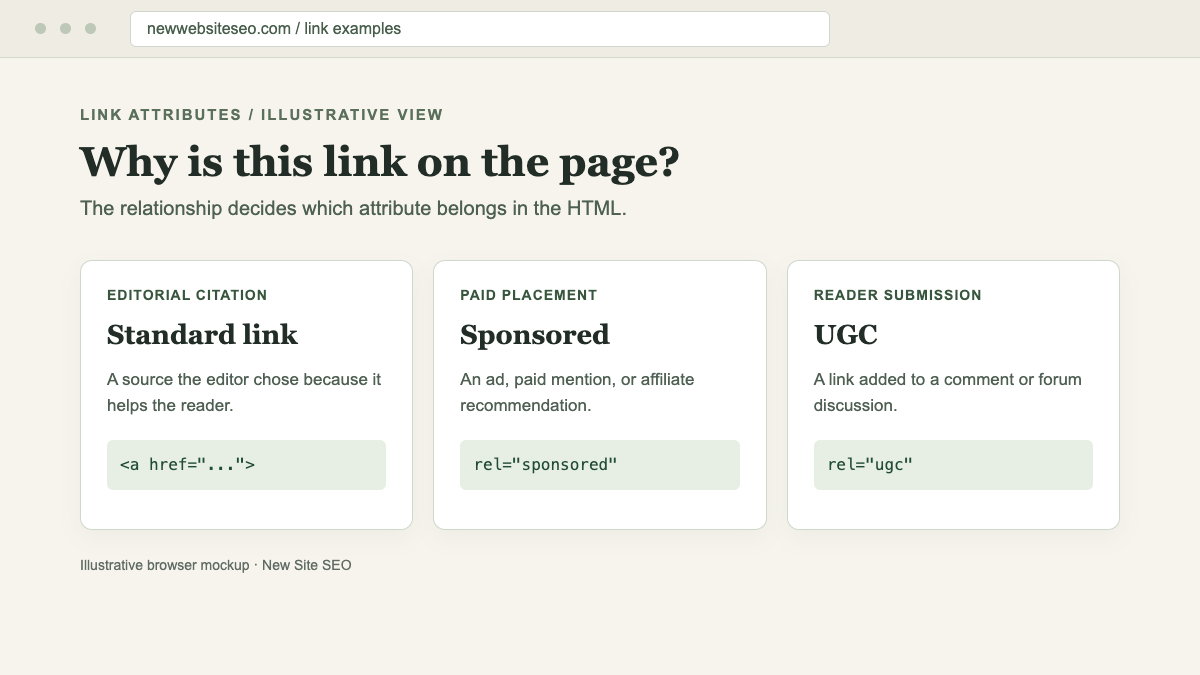
Which links need an attribute?
Google recognizes three values for links that need context: sponsored, ugc, and nofollow. Choose the one that describes why the link appears on your page.
| Why the link is there | Recommended approach |
|---|---|
| You are citing a useful source | Use a standard link |
| The link is part of an ad or paid placement | Prefer rel="sponsored" |
| You earn a commission from the link | Use rel="sponsored" |
| A user added it in a comment or forum post | Generally use rel="ugc" |
| You need to link to a page but do not want to endorse it, and the other values do not fit | Use rel="nofollow" |
| It helps visitors navigate your own site | Usually use a standard link |
Two values can appear on the same link when both apply: rel="ugc nofollow" is valid. Google also accepts nofollow on paid links, though sponsored says more plainly why the link is there.
Paid links and affiliate links
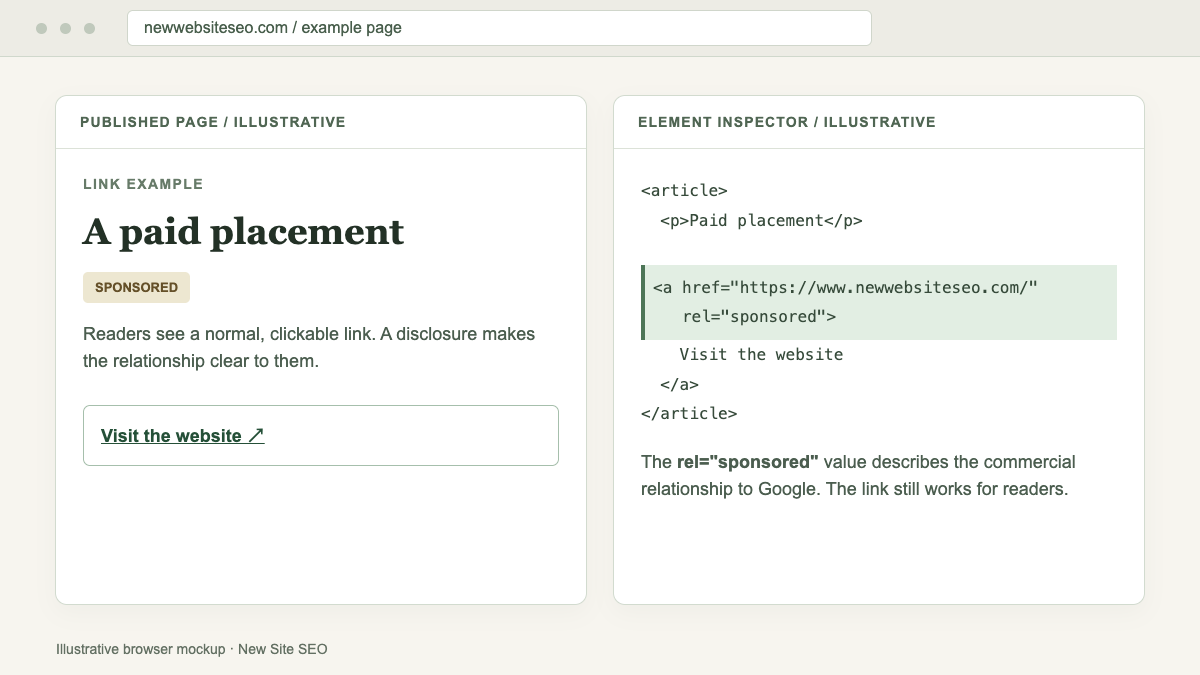
If a company pays for a link in your article, mark it as sponsored. The same applies when you earn a commission from an affiliate link.
<a href="https://www.newwebsiteseo.com/" rel="sponsored">Visit the website</a>This example uses the site's own URL to show the code. It does not describe a real sponsorship.
Money is not the only form of payment. A product or service offered in exchange for a post and link can create the same relationship. Google's link spam policy addresses exchanges intended to manipulate rankings and permits advertising links that are properly marked.
Readers also need to know when a placement is paid. Label the content clearly, then check that the link itself has the right rel value.
Links in comments and forums
A URL in a comment came from the reader who posted it. Use rel="ugc" to identify that origin:
<a href="https://www.newwebsiteseo.com/" rel="ugc nofollow">Website shared by a reader</a>Set this in your comment or forum template if the site accepts many submissions. Then inspect a published comment to make sure the attribute appears in the HTML. Remove spam, phishing links, and unsafe downloads; the attribute will not keep visitors from clicking them.
When does nofollow make sense?
A fact-checking article may link to the claim it disputes so readers can inspect the original. If you do not want that link read as an endorsement, nofollow can express that choice.
Disagreement alone does not require nofollow. Neither does linking to a competitor. You can use a standard link for official documentation, a research paper, or another useful source. Write link text that tells readers what they will find.
SEO writers sometimes call standard links "dofollow." You do not need to add rel="dofollow"; an ordinary <a href="..."> link is enough.
Keep useful internal links easy to follow
Navigation and links between related articles help people move through your site. They also give Google a way to discover pages. Keep those internal links ordinary unless you have a specific reason to mark one.
If you are deciding what to publish next, our guide to low competitive keywords shows how to assess the existing search results.
Nofollow does not prevent indexing
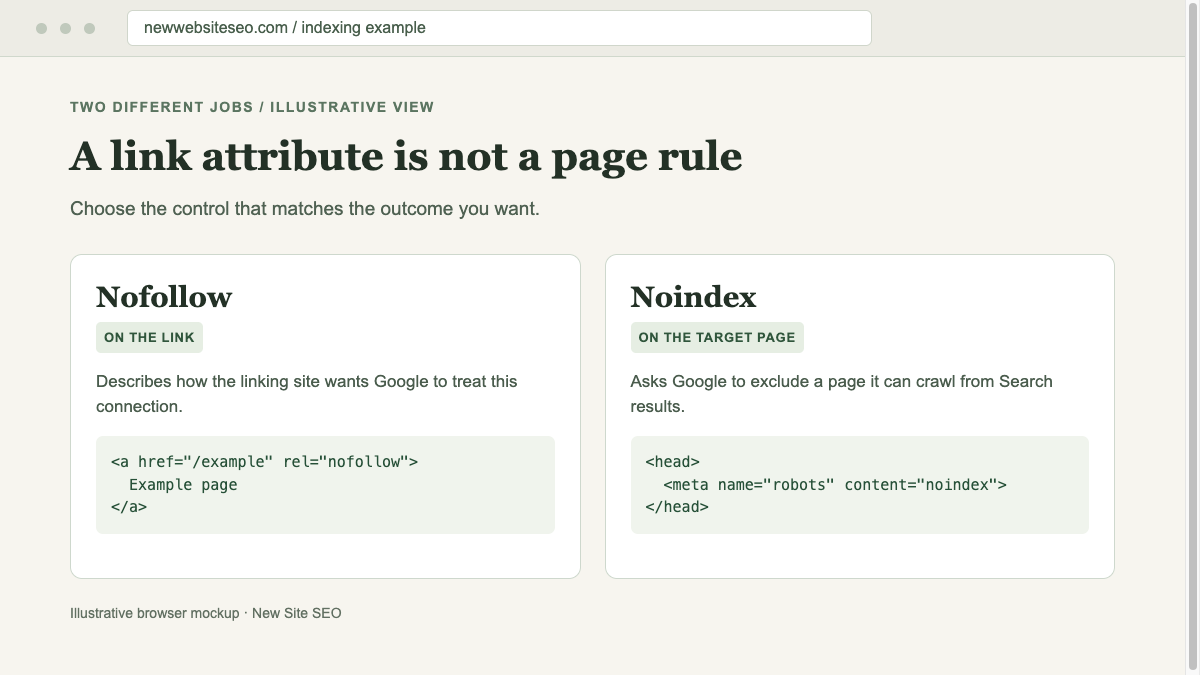
To keep a page on your own site out of Google Search, put a noindex directive on that page:
<meta name="robots" content="noindex">Google must be able to crawl the page to read the directive. Block the page in robots.txt, and Google may never see its noindex tag. A nofollow link pointing to that page will not do the job either. Google may find the URL elsewhere.
How to check a link after publishing
Open the published page, right-click the link, and choose "Inspect." Find its <a> element and check the rel value. For example, rel="ugc nofollow" contains both values and is valid.
Inspect the link you care about. A nofollow elsewhere in the page source tells you nothing about it. If a plugin or template sets attributes automatically, check a link in the article, one in an ad, and one in the comments.
A nofollow backlink can still bring visitors to your site. Look at the visits or inquiries it sends. One link alone will not explain a change in search rankings. For the wider role of backlinks in search, see our guide to ranking without backlinks.